
Connect your ATS and export a candidate
Plug in your recruiting software with an API key, let Bellamy spot candidates you already know, then export a candidate to your ATS.
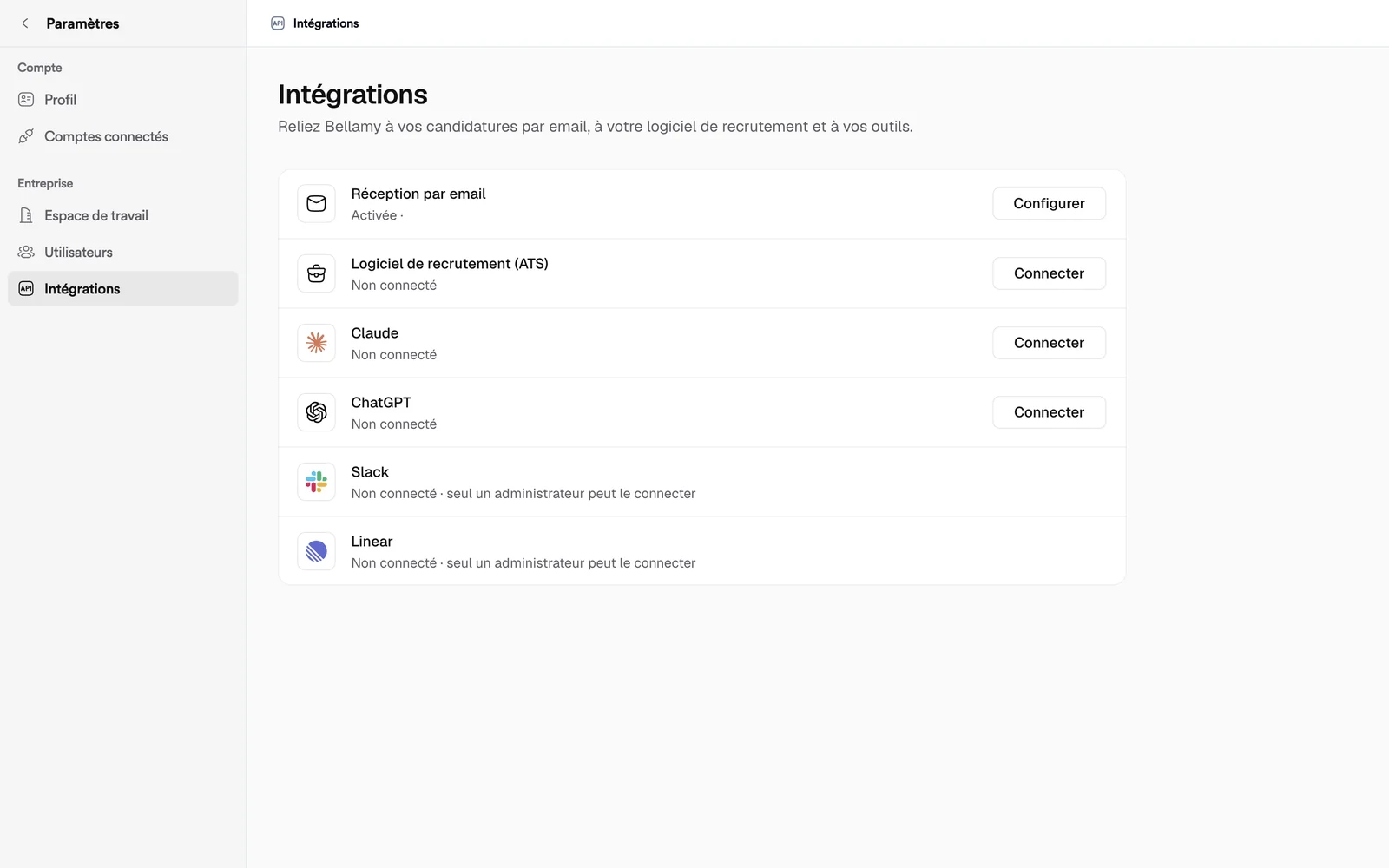
- Settings, Integrations, Recruiting software (ATS) row.
- Teamtailor is the software offered today; the others are marked "coming soon".
Once your ATS is connected, Bellamy finds your candidates in it, flags the ones that are already there, and you export a candidate in a few clicks.
Connect your software
- Open "Settings", then "Integrations".
- On the "Recruiting software (ATS)" row, click "Connect".
- In the "Connect your recruiting software" window, choose "Your software". Teamtailor is available; Greenhouse, Lever, Ashby and SmartRecruiters carry "(coming soon)".
- Paste the "API key". The window explains where to find it in Teamtailor: "Settings → Integrations → API keys", then "Create API key". The key must have the admin scope, with read and write permissions.
- Click "Test connection", then "Save".
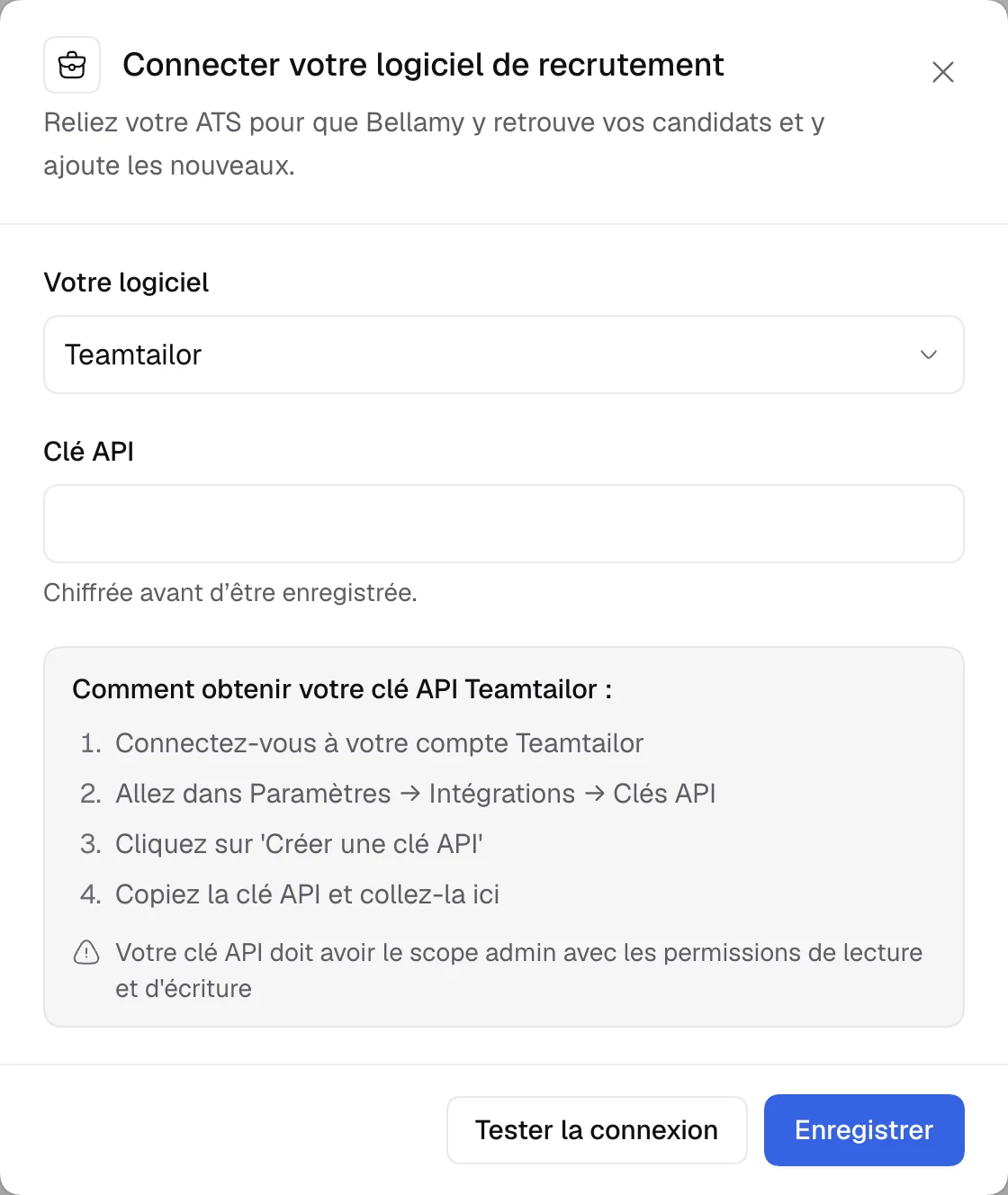
The key is encrypted before it is stored. Once connected, the row shows "Connected on …".
Check candidates you already know
When some Bellamy candidates remain to be checked, the row says "N candidates to check in Teamtailor". Click "Set up", then "Sync" under "Your candidates already in Bellamy": Bellamy looks at which ones already exist in your ATS. They then carry the note "Already in your ATS (Teamtailor)".
Export a candidate
When an ATS is connected, the "…" menu of a candidate in the "Candidates" list offers "Export to your ATS".
- Click "Export to your ATS": an "Export to Teamtailor" window opens, with a preview of the data (name, email, phone, LinkedIn, location).
- Choose the "Teamtailor Job" and the "Destination stage", and add a note if you like.
- Click "Confirm export".
If the candidate already exists in the ATS, the window says so: their data will be merged automatically.
Edit or delete the connection
On the row, "Set up" reopens the window. Leave the key empty to keep the current one, or paste a new one. "Delete the connection" erases the stored key: to reconnect your software, you'll need to enter a new one. If the key is no longer valid, the row shows "Connection paused: save a valid key".
If it doesn't work
- "Paste your Teamtailor API key to continue.": the field is empty.
- Connection failed: the key is refused. Check its permissions.
- "This job is not mapped to a Teamtailor job": choose the matching Teamtailor job in the export window.