
Tell Bellamy about your company (Bellamy Intelligence)
What Bellamy knows about your company, what it does with it, and how to correct it. The Bellamy Intelligence page replaces the old Culture menu.
- Bellamy Intelligence menu, Identity, Details and Behaviour tabs.
- Each field is saved when you leave it.
Bellamy screens your applications and prepares your job ads from what it knows about your company. The more it knows, the more its choices look like you. The Bellamy Intelligence page gathers that knowledge, and you can correct it at any time.
Where to read it and correct it
The "Identity", "Details" and "Behaviour" tabs describe the company. Other tabs appear when they're useful: "Know-how" and "To review" (see Review what Bellamy has learned), "My memory" (see Ask Bellamy inside the app).
Identity
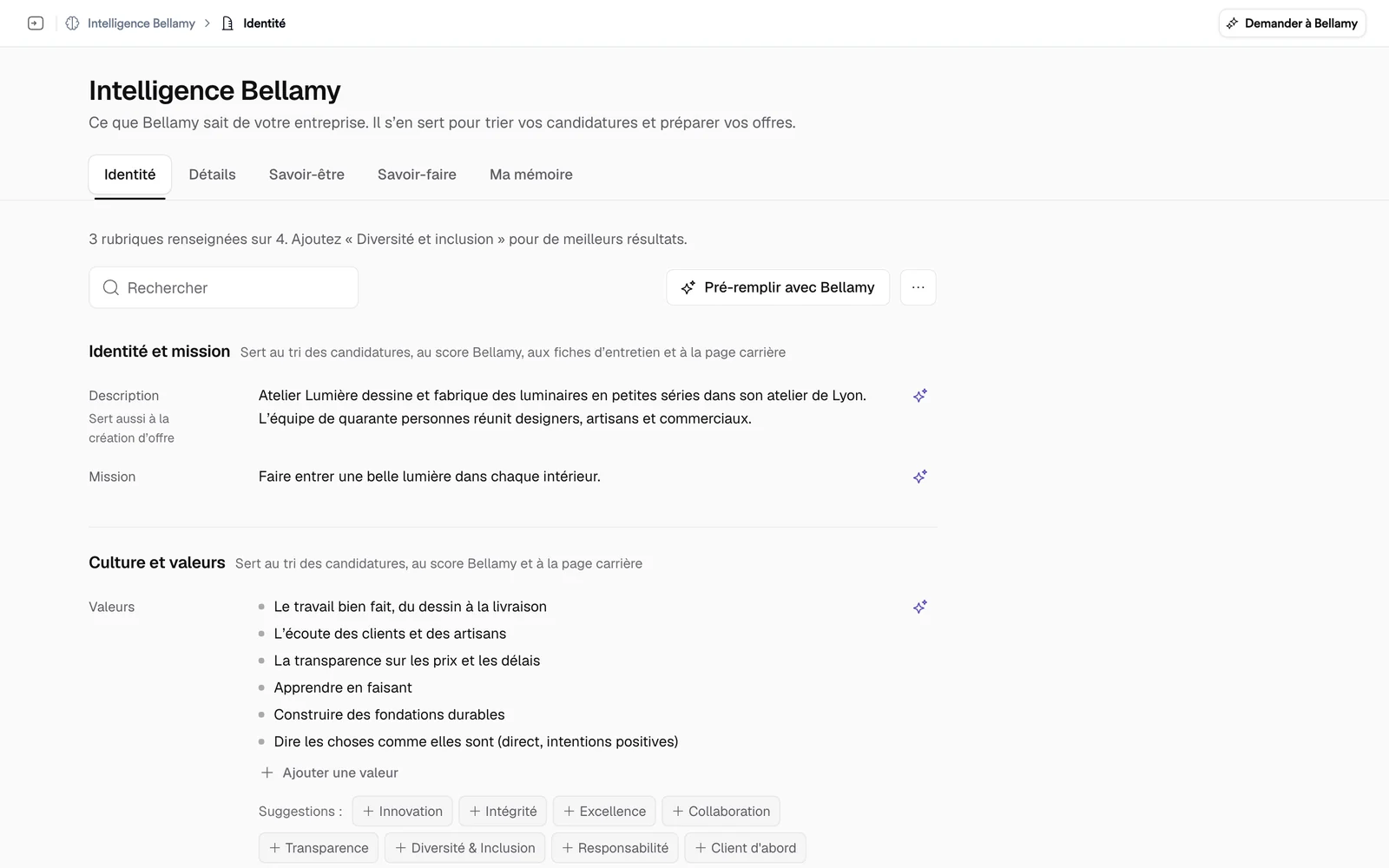
The tab is split into blocks:
- "Identity and mission": the company description and its mission;
- "Culture and values": your values and your culture;
- "What you offer": your tagline and your benefits;
- "Diversity and inclusion": your commitment.
Under each block's title, a line says what it's used for, for example "Used for screening applications, the Bellamy score, interview briefs and the careers page". A saved block that Bellamy doesn't use yet carries the note "Saved, not used by Bellamy yet".
Details
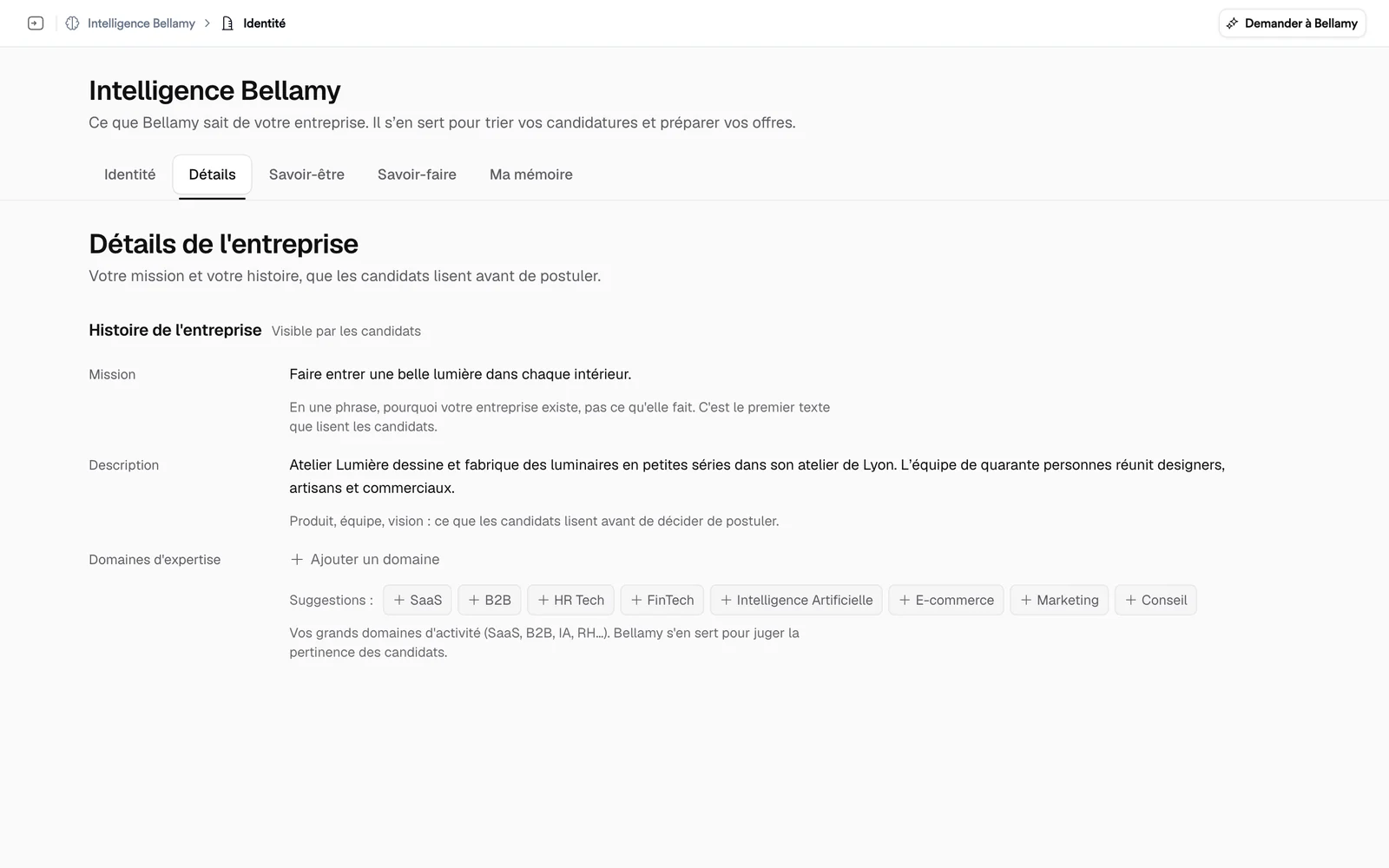
The "Details" tab covers the mission, the description and the areas of expertise, the part of your story that candidates read before applying. It replaces the old "Company details" page in Settings.
Behaviour
The "Behaviour" tab describes how the team works: "Ways of working" (communication, decision-making, work-life balance) and "Management and workplace".
Edit a field
- Click a field's value.
- Write. List values, like company values, are added one by one; Bellamy sometimes offers suggestions you can add in one click.
- Leave the field: it's saved. "Esc" closes it without saving anything.
Let Bellamy write
- "Prefill with Bellamy", at the top of the Identity tab, fills the still-empty fields from what Bellamy already knows about your company. A message offers "Undo".
- The Bellamy icon at the right of a field opens "Ask Bellamy": "Write with Bellamy" for an empty field, "Rewrite", "Improve" or "Shorten" for a filled one. The text is saved right away, and "Undo" brings the old one back.
Good to know
The "Culture" menu no longer exists: the old address leads to the Identity tab.