
Invite your team
Give your colleagues access. Each one gets an email to set their password.
- Your name menu, “Invite and manage members”, or “Settings”, then “Users”.
- Any member of your workspace can invite a colleague.
Bring your managers and fellow recruiters into the same workspace: everyone reads the same candidates.
Send an invitation
- Click your name at the top of the left menu, then “Invite and manage members”. You can also open “Settings” and choose “Users”, under “Company”.
- Click “Invite a member”.
- Enter your colleague's first name, last name and email.
- Click “Send invitation”.
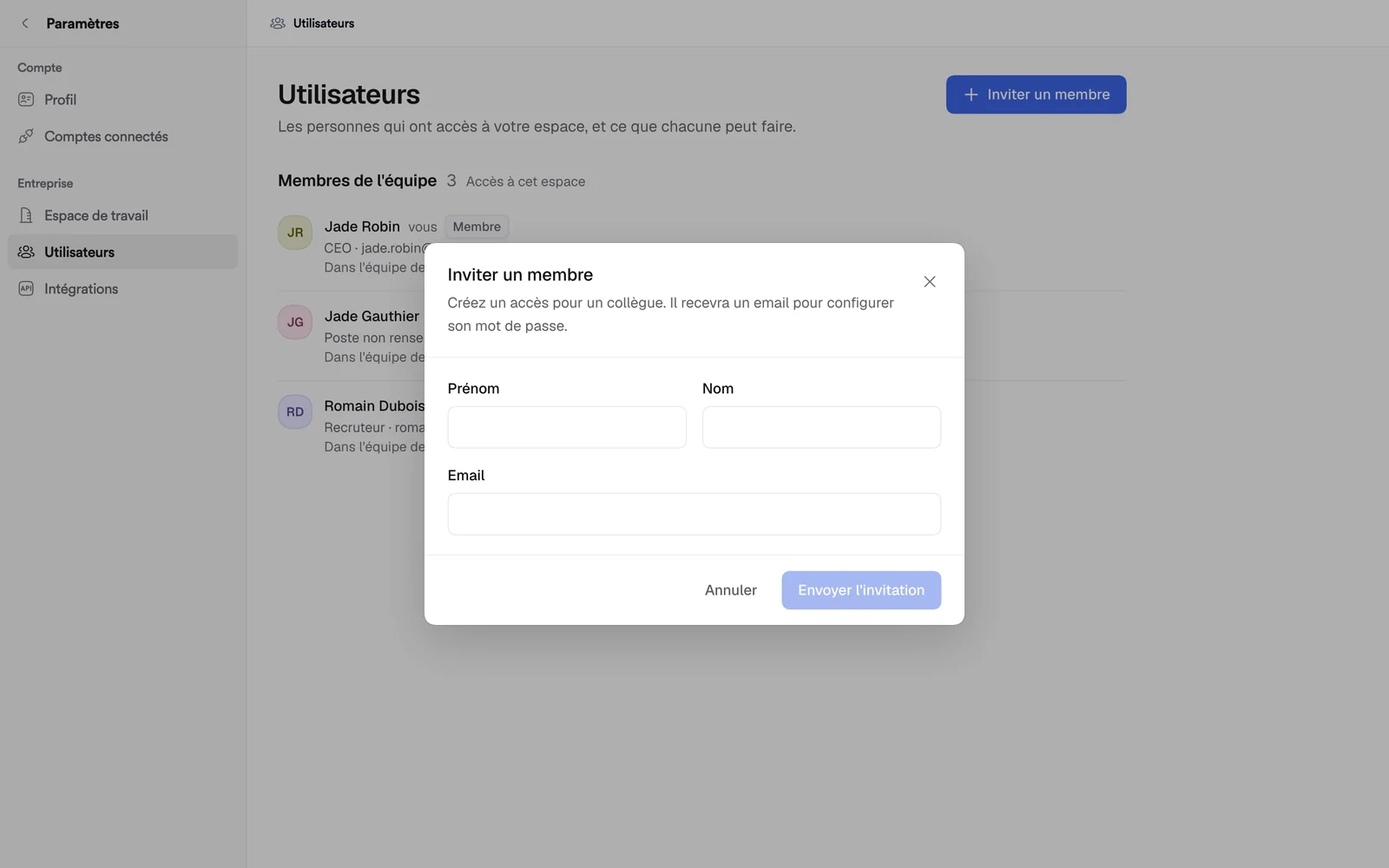
Your colleague gets an email to set their password.
If something goes wrong
- “An account already exists with this email”: that address already has a Bellamy account.
- “This person already belongs to another organization”: the invitation isn't sent.
- “Member added, but the invitation email couldn't be sent”: the person is on the team but didn't get the email.
Manage members
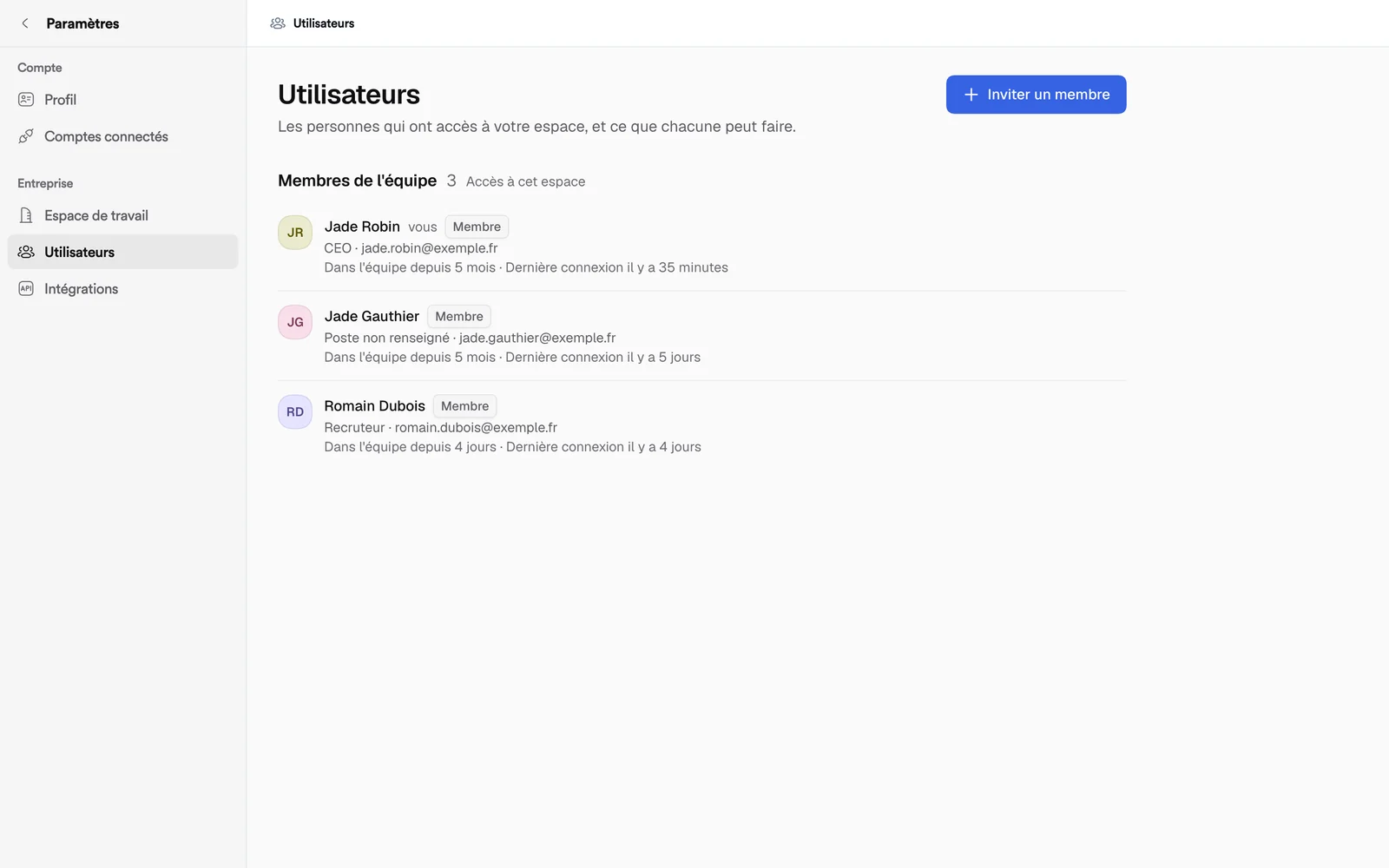
The “Team Members” list shows each person, their role, their email, how long they've been on the team and their last sign-in. Each row's menu lets you:
- “Edit profile”;
- “Suspend” access, then “Reactivate” it;
- “Remove from group”, which is permanent.
Groups with several companies
If your group has several companies on Bellamy, the invitation window also asks for “Company”, and a “Group administrator” checkbox appears. It gives access to every company in the group and to team management. Without it, access is limited to the chosen company.