
Find your jobs
The “Recruitments” list: Open, Drafts, Paused and Closed tabs, search, and the number of candidates at each stage.
- Recruitments menu.
- Every member of the workspace sees the same list.
The “Recruitments” page gathers all your jobs, whatever their status. A sentence at the top sums up the workspace: open jobs, drafts to finish, candidates in interview or offer.
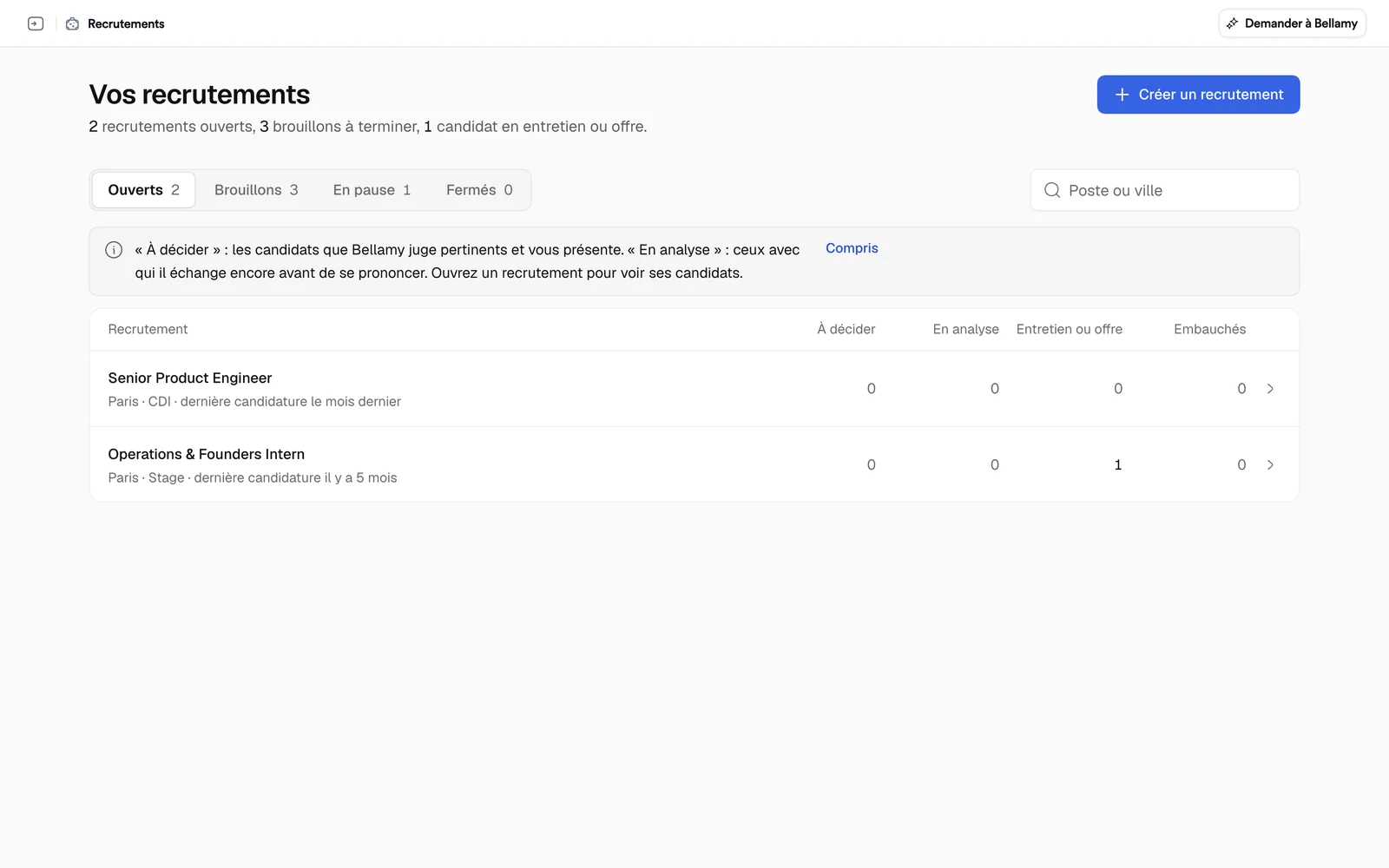
The four tabs
Each tab shows how many jobs it holds.
- Open: jobs that are online.
- Drafts: jobs you started and haven't opened yet. An interrupted setup carries a “Continue setting up” link.
- Paused: jobs taken off distribution, which keep their brief and their candidates.
- Closed: finished hirings, still available with their candidates.
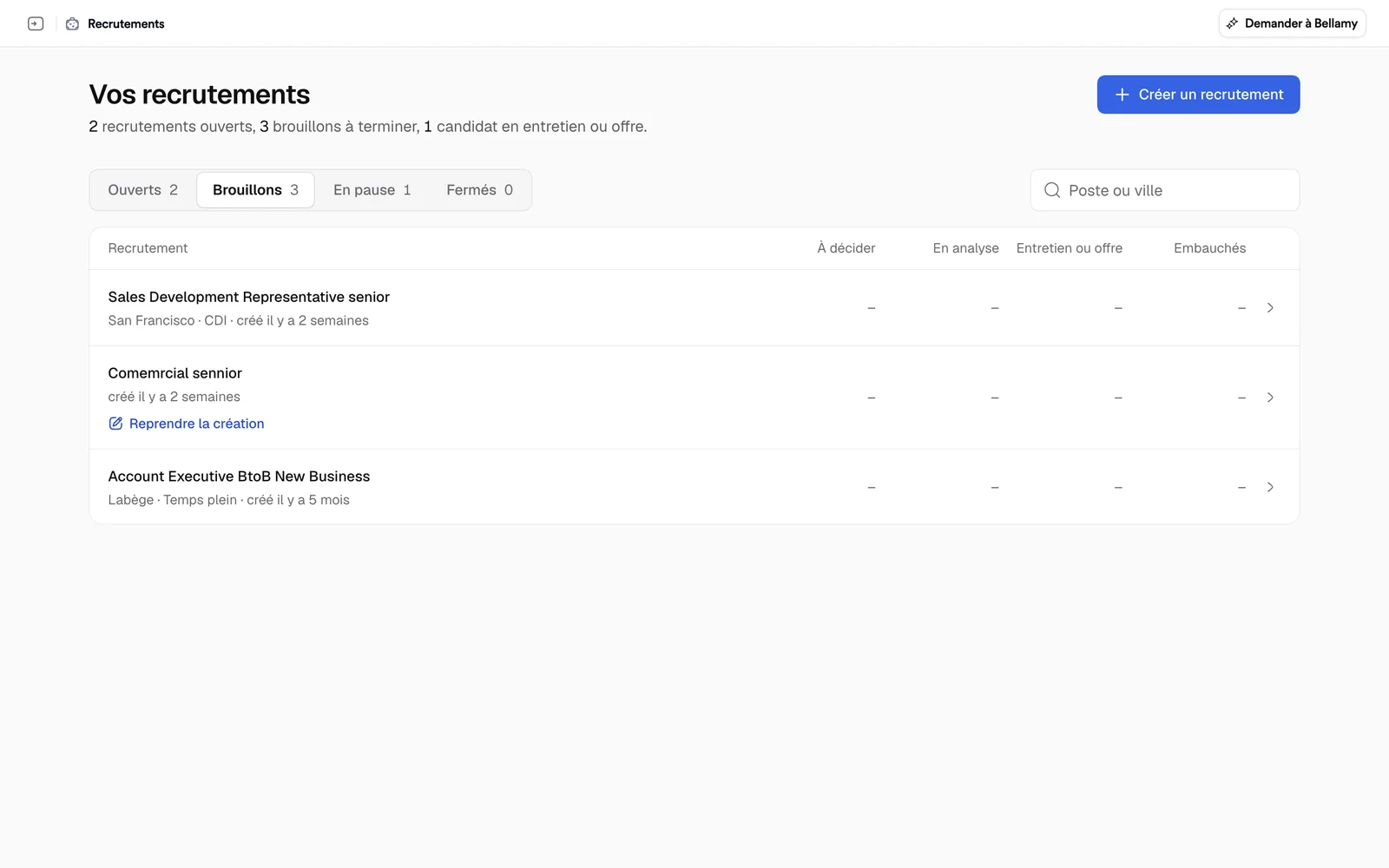
To find a job, type a word from the title or a city in “Job or city”.
Read a row
Each row gives the title, location, contract and the date of the last application. Four columns count the candidates:
- To decide: those Bellamy finds relevant and puts in front of you;
- Being reviewed: those at the “Bellamy is on it” stage, whom Bellamy is still talking to before making a call. The figure is the same as in that column of the job's board;
- Interview or offer: those moving forward;
- Hired.
A note recalls what “To decide” and “Being reviewed” mean; “Compris” (got it) hides it. Click a row to open the job.
Create or resume
The “Create a job” button starts a new job: see Create a job. For a paused job, see Manage a job.