
Receive applications by email
An address of your own for your company: applications forwarded to it come into Bellamy on their own.
- Settings, Integrations, Email intake row.
- The switch saves right away.
Do applications still reach you by email? Forward them to your company's inbox address: Bellamy reads them, matches them to the right job and adds them to your candidates.
Turn on intake
- Open "Settings", then "Integrations".
- On the "Email intake" row, click "Set up". The row shows "On" or "Off", with the address when it's on.
- In the window, turn on "Receive applications by email".
- Copy "Your inbox address" with "Copy".
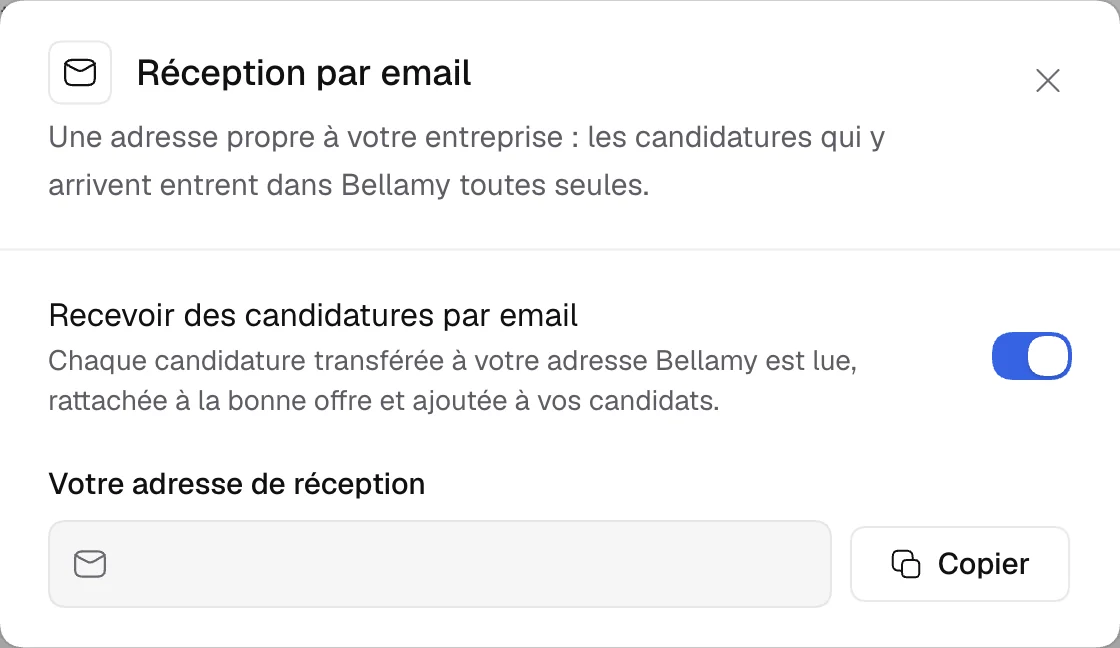
The address is your workspace's, like your-workspace@apply.bellamy.ai. The switch saves as soon as you flip it.
What Bellamy does with each email
"Each application forwarded to your Bellamy address is read, matched to the right job and added to your candidates." It then follows the usual path: see Track your candidates.
Turn off
Reopen the window and turn the switch off: the row goes back to "Off".