
Read a candidate's record
Bellamy's opinion, background, CV, exchanges, team notes and activity: everything you need to decide, in one place.
- Click a card on a job's board or a row in Candidates.
- Opening a record marks it as seen.
The record opens as a panel on the right of the list, so you don't leave it. It gathers what Bellamy has understood about the candidate and the actions to decide.
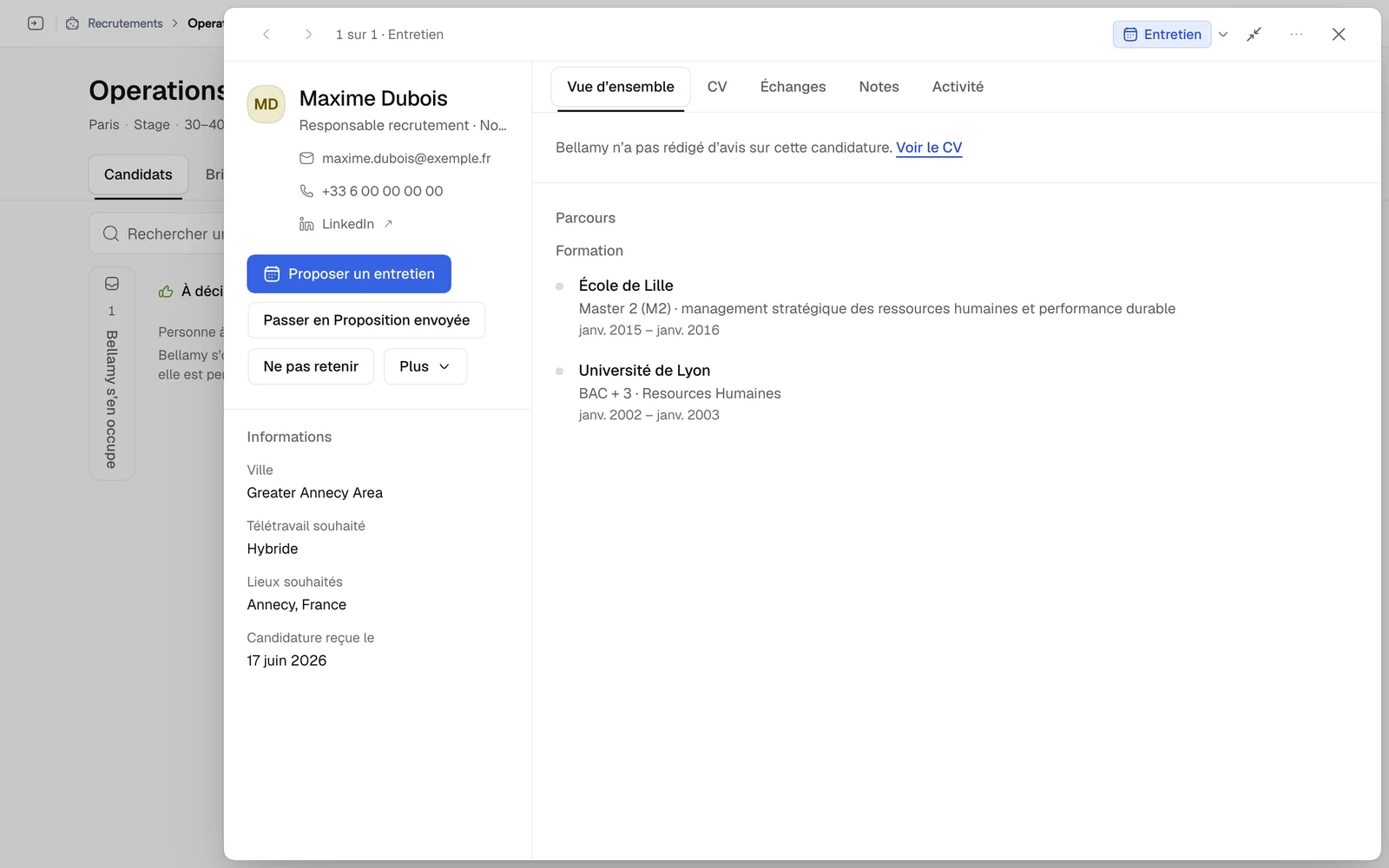
At the top of the record
- The name, current role, email and phone, which you can copy, and the LinkedIn link. When the candidate's profile has no email or phone, the record shows those of their most recent application that has them, including on a person's full-page record.
- The current stage: click it to change it.
- The decision bar: the action that follows the stage ("Keep for an interview", "Propose an interview" at the Interview stage, "Move to Offer sent", "Mark as hired"), "Don't keep", and "More" for the other stages.
- Arrows to go to the previous or next candidate without closing the record, "Expand the record" to read it full width, and the "…" menu: "Copy the record link" and "See all their applications".
The five tabs
Overview
This is the decision page. Depending on what Bellamy could establish, it gathers:
- Bellamy's opinion, with its "Strengths" and "Points to watch", the most important flagged as such. When Bellamy hasn't written an opinion, the record says so and, if there is a CV, offers "See the CV". Without a CV, the link doesn't appear.
- To dig into at the interview, the questions the interview should settle.
- Details: city, preferred remote setup, preferred locations, application date.
- The "Background", "Education", "Their answers" to the application questions, "Bellamy's full summary" and "Their other applications with you".
CV
The CV shows inside the record: you can zoom, fit it to the width, and download it. A Word CV can't be displayed here: download it.
Exchanges
The messages exchanged between Bellamy and the candidate, grouped by conversation.
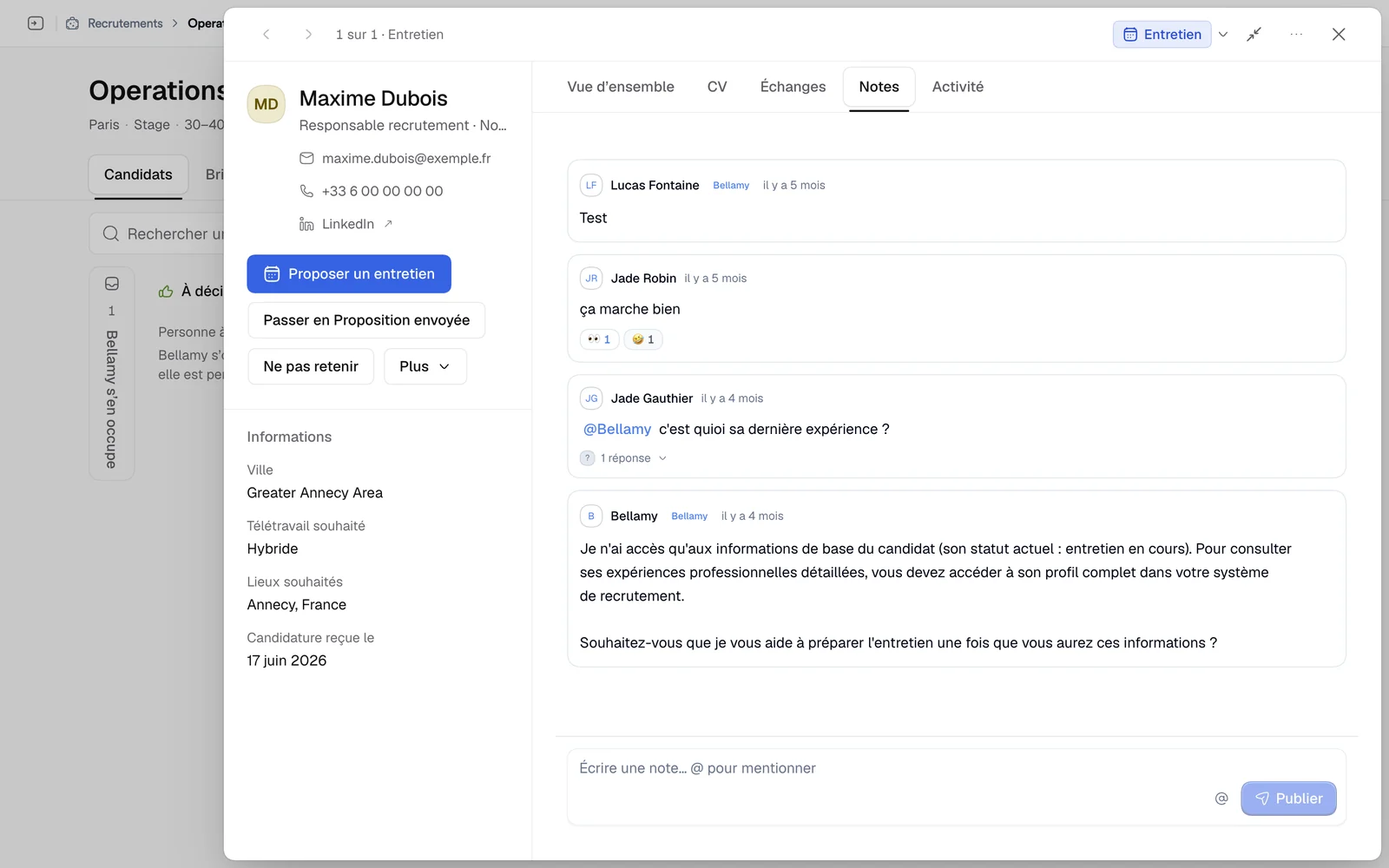
Notes
Your team's notes on this candidate. Write, then click "Post": the note is visible to the whole team. Type @ to mention a colleague.
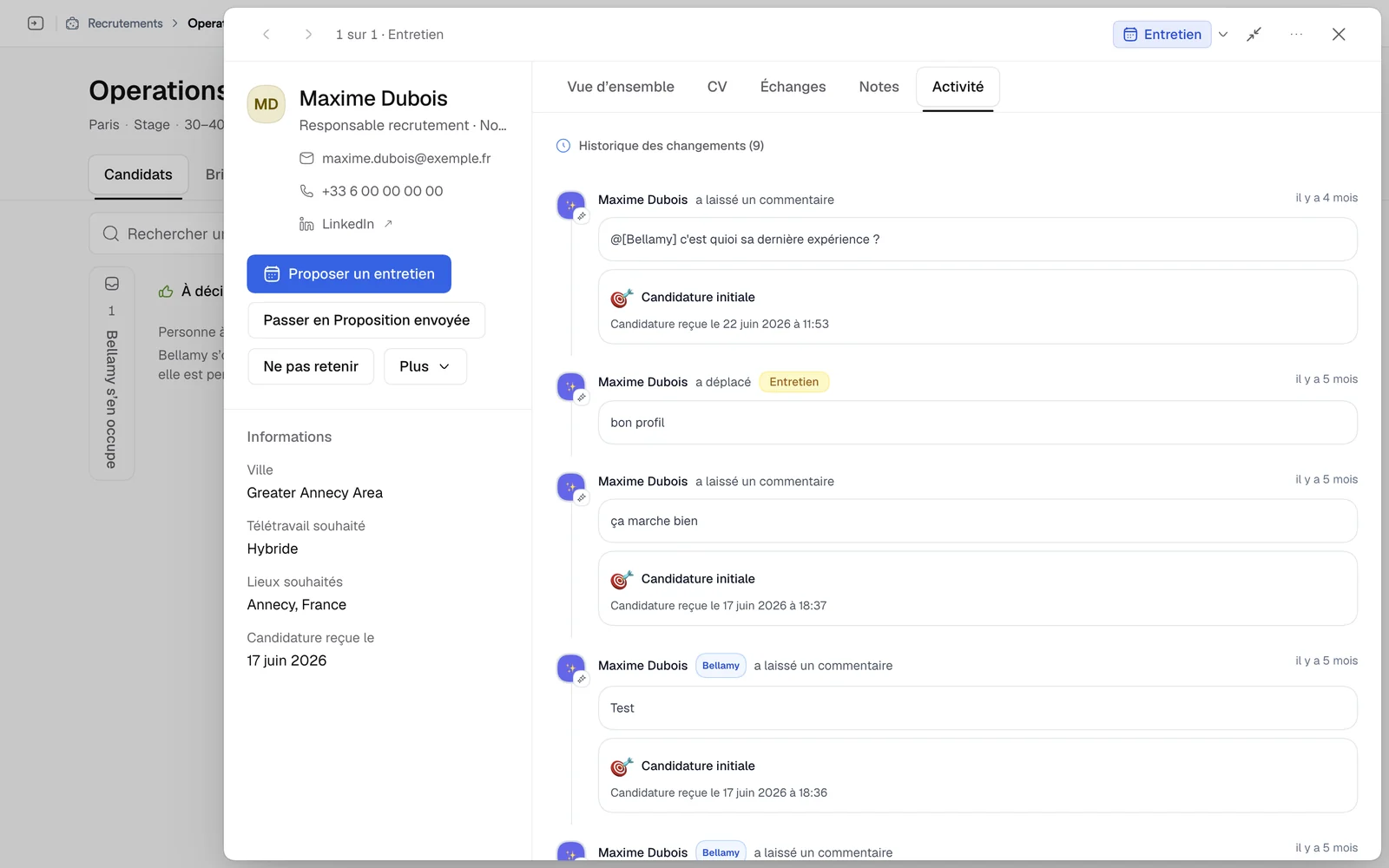
Activity
The application's history: arrival, stage changes by Bellamy, by you or by a colleague, and comments.
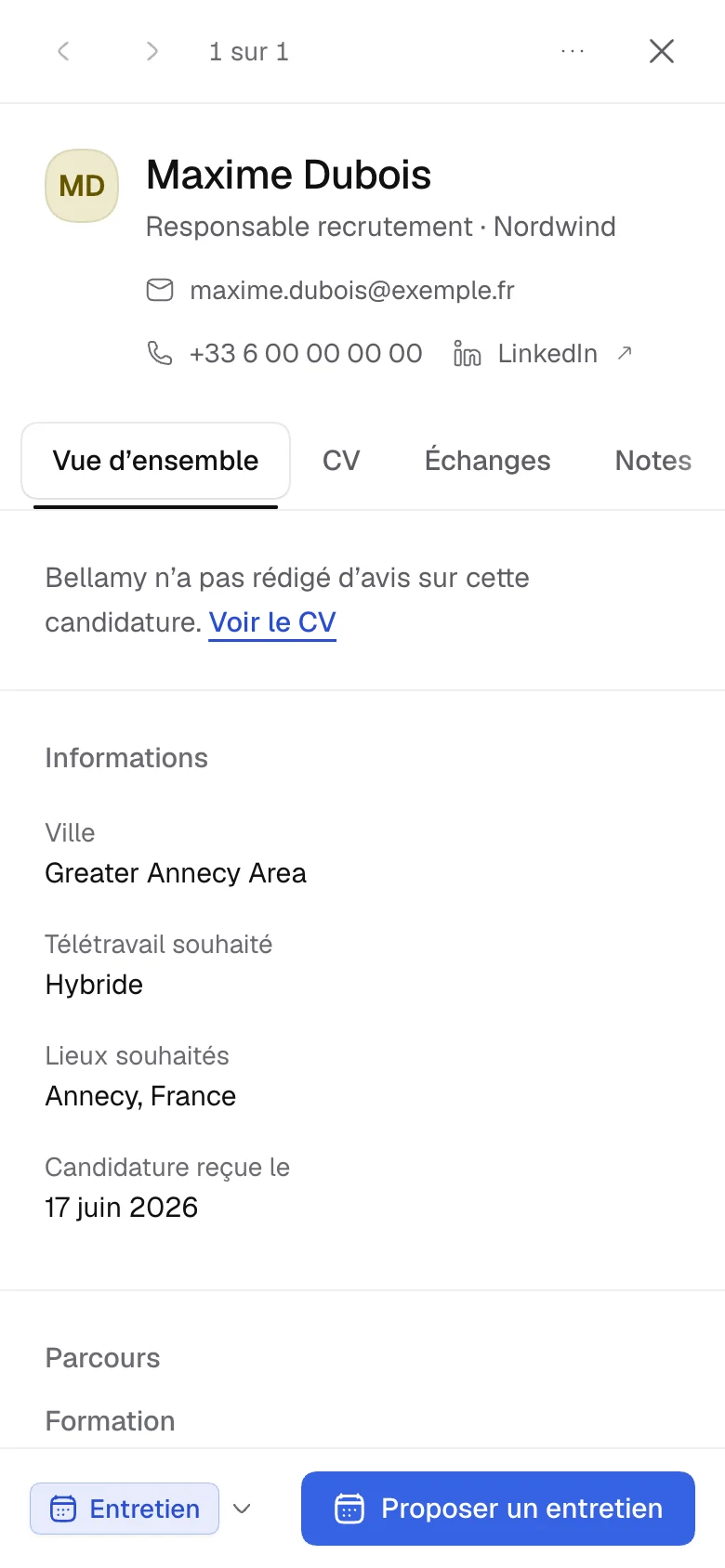
On a phone
The record opens full screen. The stage and the main action stay stuck to the bottom of the screen; the stage menu gives access to the others, including "Don't keep".
What next
- Move the candidate forward: see Track your candidates.
- Set the candidate aside: see Decline a candidate and reply.
- Meet them: see Propose an interview.