
Set the skills you look for
The “Evaluation grid” tab lists the technical and people skills you expect, on two levels: “Appreciated” or “Essential”.
- Job page, “Evaluation grid” tab.
- 10 skills at most, including 5 “Essential” at most.
When the job is created, Bellamy suggests a grid drawn from your description. The “Evaluation grid” tab lets you fix it. It is used to evaluate each candidate on substance.
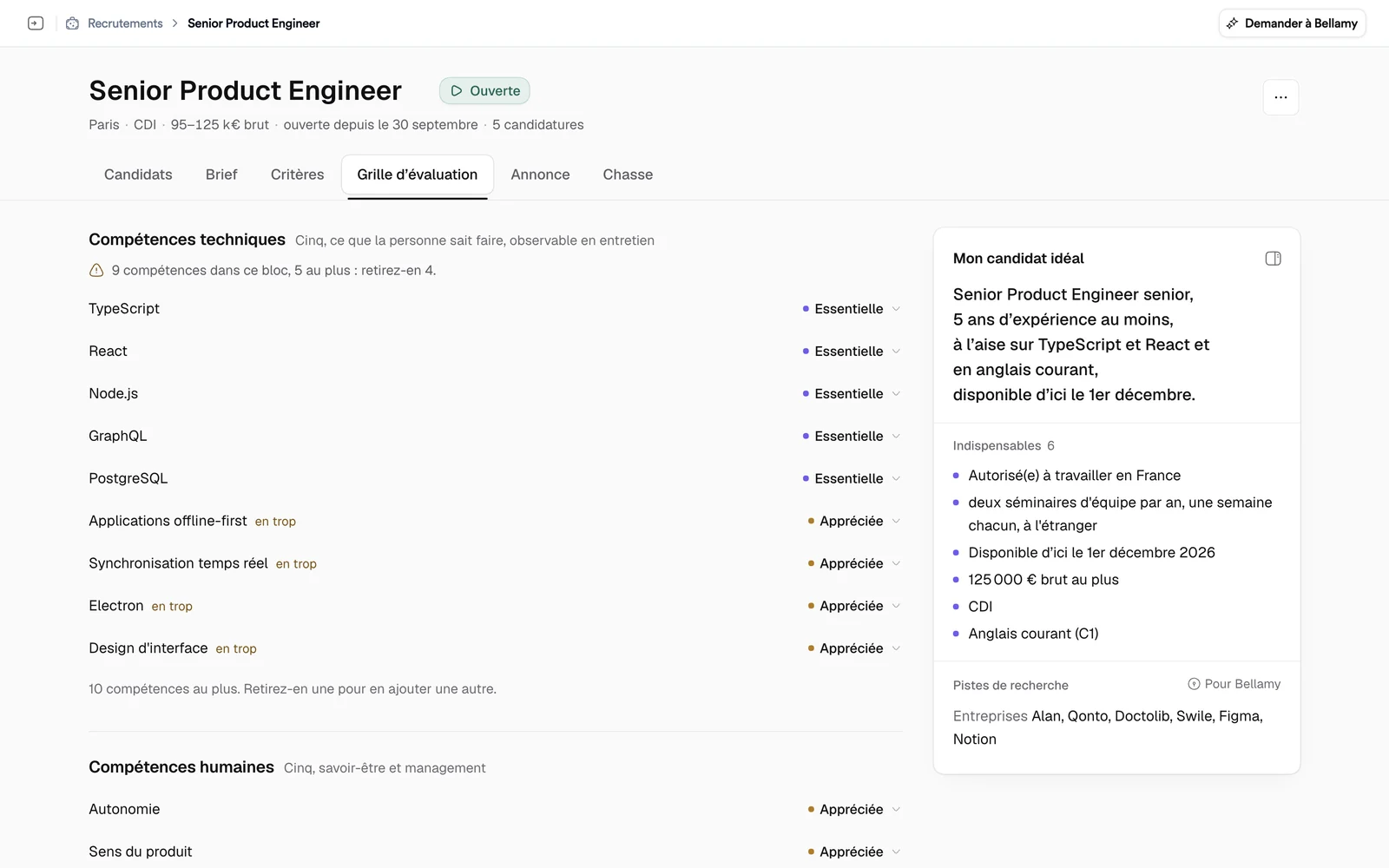
Two blocks
- Technical skills: what the person can do, observable in an interview.
- People skills: soft skills and management.
Two levels
Click a skill's level to change it.
- Essential: checked for every candidate, as long as “Tools” isn't set to “Removed” in the Criteria tab. For a people skill, it is highlighted for Bellamy without ruling anyone out: a soft skill never sorts on its own.
- Appreciated: it separates close profiles.
Add, rename, remove
- In a block, click “Add a skill”.
- Type its name, for example “SAP, accounts payable” for a technical skill or “rigour, service mindset” for a people skill.
- Choose its level.
To rename it, click its name. To remove it, open the level menu and choose “Remove from the scorecard”. If the skill is already there, Bellamy answers “This skill is already in the scorecard.”
The limits
- 10 skills at most in total: “Remove one to add another.”
- 5 skills at most per block.
- 5 “Essential” skills at most: set one to “Appreciated” first.
If a job goes over a limit, for example when Bellamy suggested too many skills, the extra lines are flagged “over the limit” and a message says how many to remove or to set to “Appreciated”.
Set the grid well
- Keep “Essential” for what must absolutely be checked. Everything else is “Appreciated”.
- Merge skills that look alike rather than adding more.