
Edit my details and phone number
Change your photo, your name, your LinkedIn and GitHub links, and replace your phone number after an SMS check.
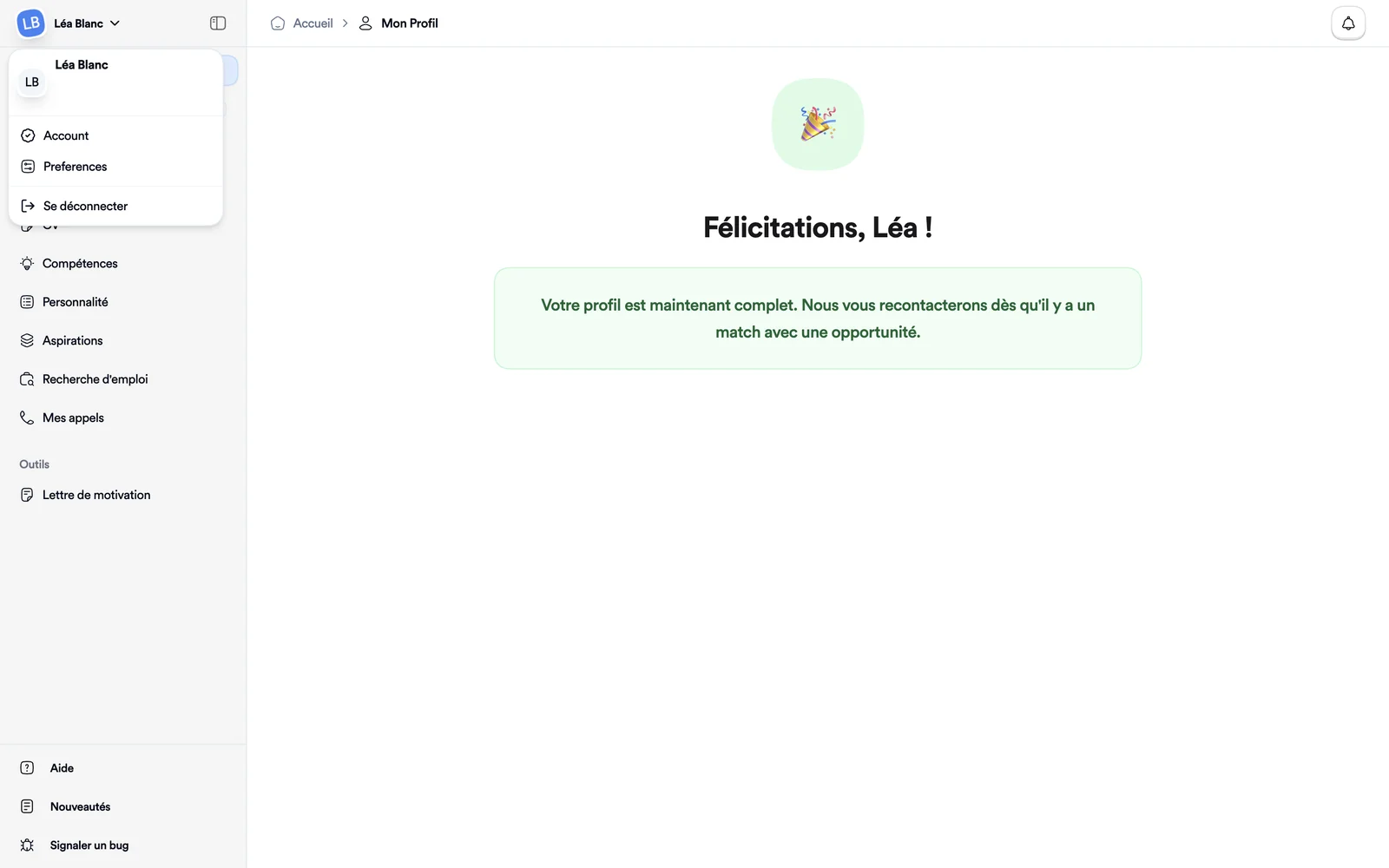
- Your name, top left, then Account.
- A new number is confirmed with a code sent by text.
This page holds your account details: photo, name, links and phone number. Changes to your career history are made elsewhere: see Update my profile.
Open the page
Click your name, top left of the screen, then Account. The Profile page opens.
The whole page follows the language of the app. On a phone, each field moves under its label and fits the screen.
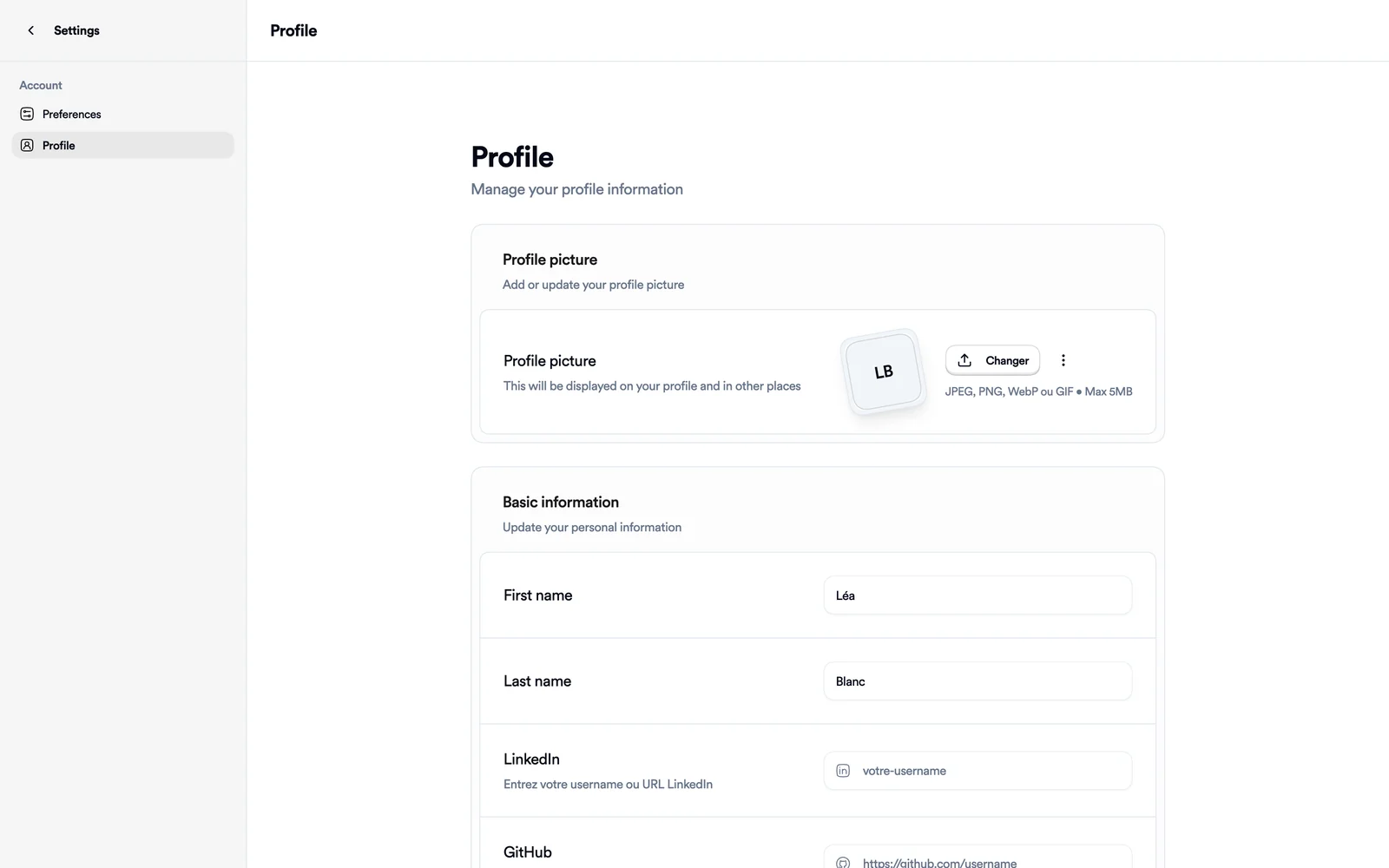
Photo, name and links
- For the photo, click Changer (change). JPEG, PNG, WebP and GIF files are accepted, up to 5 MB.
- Under Basic information, edit your first and last name. Both are required.
- Under LinkedIn, enter your username or your profile address. Bellamy checks that the profile exists when you change it. GitHub expects the full address of your profile.
- Click Save changes. A Profile updated message confirms it.
Change your phone number
The Phone number card shows your current number and its status: Verified, Not verified or Not set.
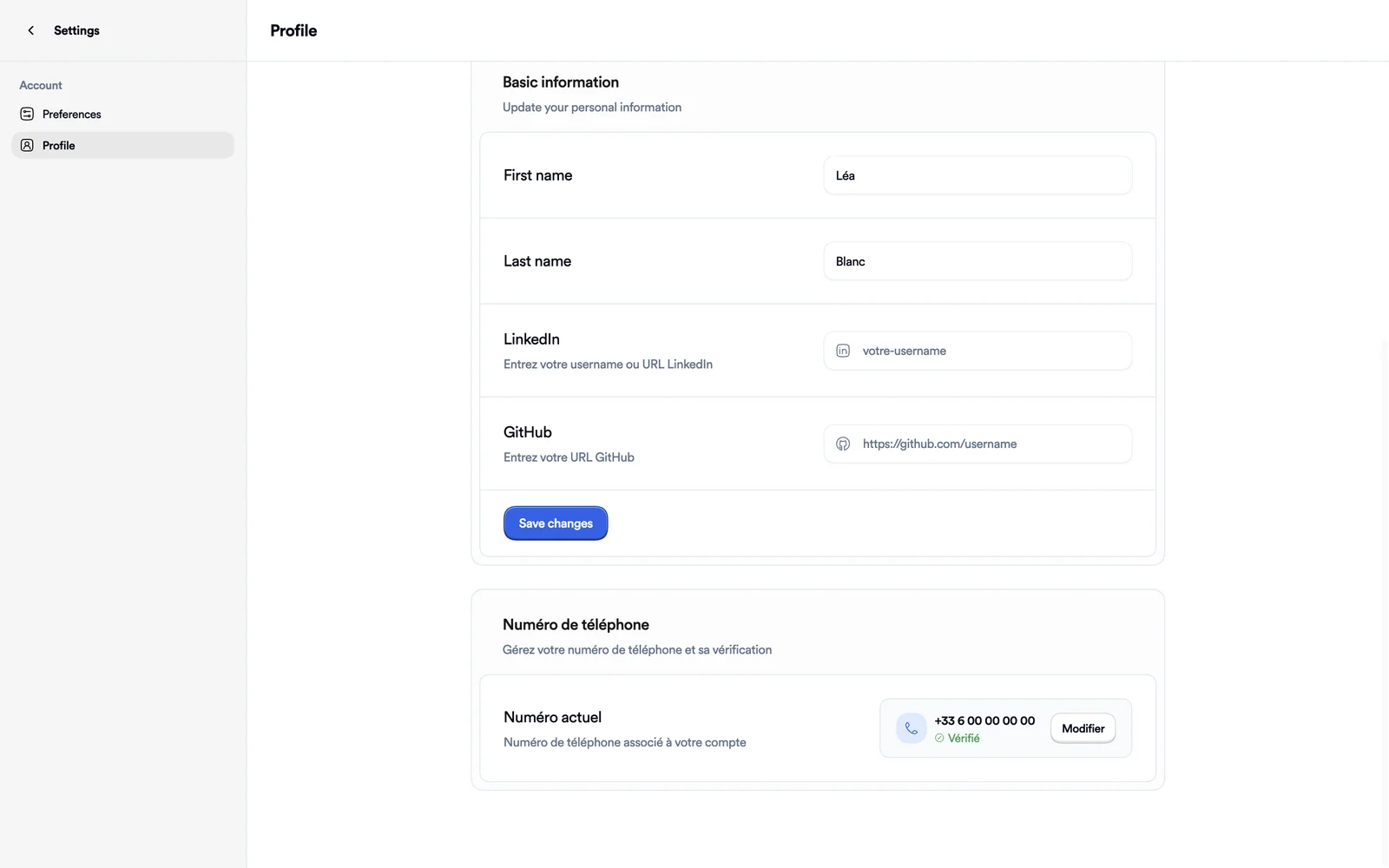
- Click Edit, or Add if you have no number yet.
- Enter the new number under New number, then click Send code. A text message is sent to that number.
- Enter the six digits under Verification code, then click Verify. A Téléphone vérifié message (phone verified) confirms the change.
Cancel closes the form without changing anything.
If something goes wrong
- "Too many attempts. Try again in an hour.": the code was requested or entered too many times. Wait an hour before trying again.
- Your LinkedIn profile is rejected: copy your username as it appears in your profile address, after
linkedin.com/in/. "This LinkedIn profile doesn't exist or isn't accessible" is about the profile; "Couldn't check this LinkedIn profile" means the check didn't answer, so try again a little later. - The number is already in use: it's linked to another Bellamy account. Sign in with that account or use a different number.