
Find my calls with Bellamy
Read back the summary of your calls and the topics covered, from the My Calls menu in your talent space.
- The My Calls menu in your talent space.
Every call with Bellamy leaves a summary. You can read it back whenever you like, so there's no need to take notes during the call. The list page is still in French in the app, so its labels below come with a translation.
The list of your calls
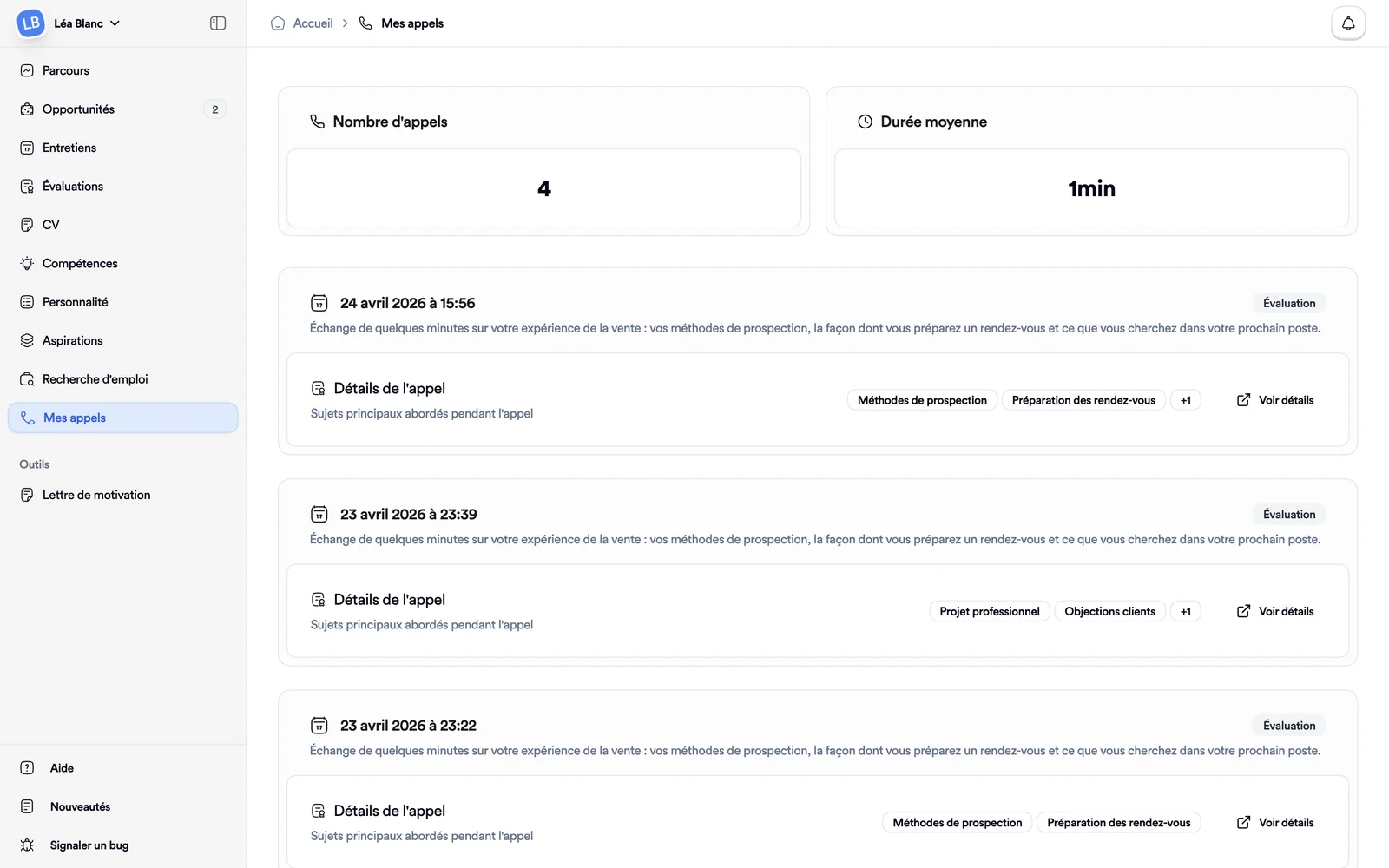
Open My Calls. At the top, two figures: Nombre d'appels (number of calls) and Durée moyenne (average duration, an estimate based on the length of the summaries, not a measured time). Below, each call has its own card:
- the date and time;
- a badge with the call type: Welcome, Aspirations, Company, Skills or Interview;
- an extract of the summary;
- the first two topics covered, and "+1", "+2" when there are more;
- the Voir détails (see details) link.
The detail of a call
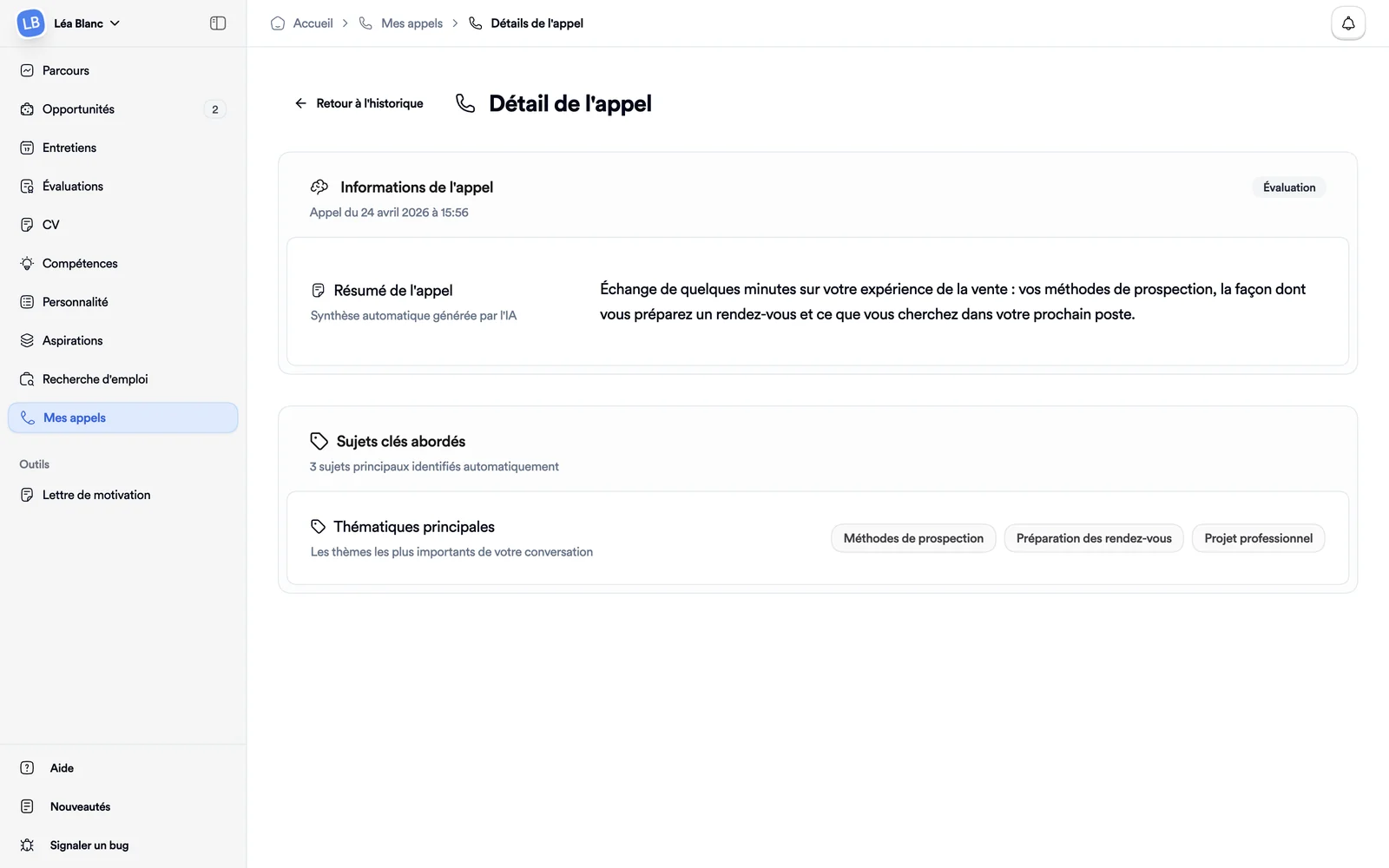
Click Voir détails. The Call details page shows, with the date of the call in the language of the app:
- Call summary: an automatic summary generated by AI;
- Key topics, under Main themes: the themes of the conversation, picked out automatically.
This page doesn't offer an audio recording. Back to history takes you back to the list. If the call doesn't load, Call not found appears with a Try again button. The page fits a phone screen.
If the list is empty
Until you've had a call, the page says "Vous n'avez pas encore d'appels avec l'IA Bellamy" (you don't have any calls with Bellamy's AI yet). To learn when and how Bellamy calls, see Talk with Bellamy.