
Answer an opportunity
Bellamy suggests a role. Say whether you're interested, confirm your availability and expectations, and Bellamy handles the rest.
- The Opportunities menu in your talent space.
An opportunity is a role Bellamy picked for you. You'll find it under Opportunities (My Opportunities: opportunities selected for you by the Bellamy team). Until you accept, the company stays confidential.
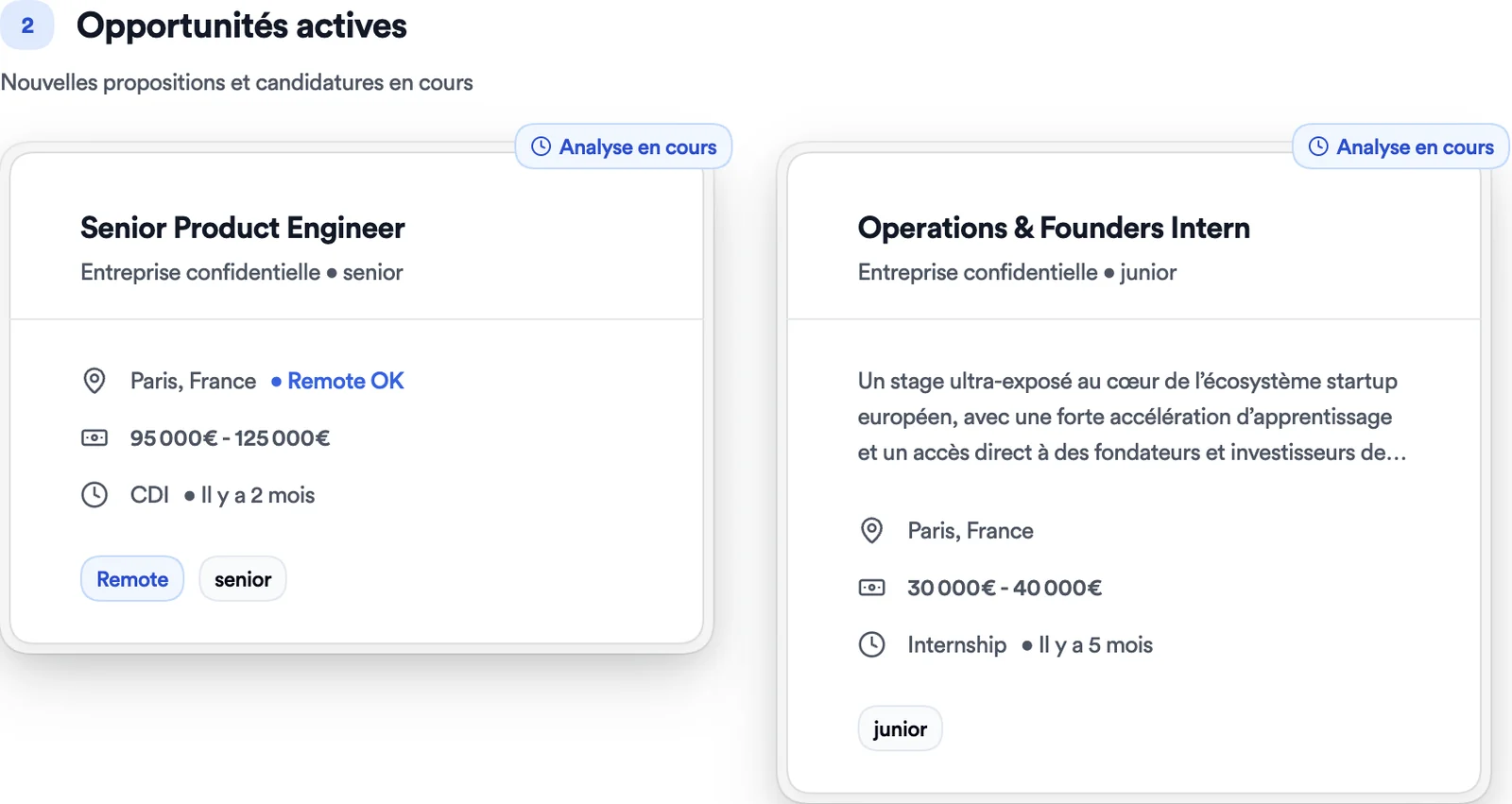
The page groups your opportunities into sections: Active Opportunities (new proposals and active applications), Active Applications (the ones you accepted) and Processed Opportunities (the ones you've already answered). Each card shows its status.
Read the opportunity
Click a card. The opportunity page shows the status at the top, then the role, location, pay, contract type, job description and required skills. About the Company stays Confidential Company until you accept.
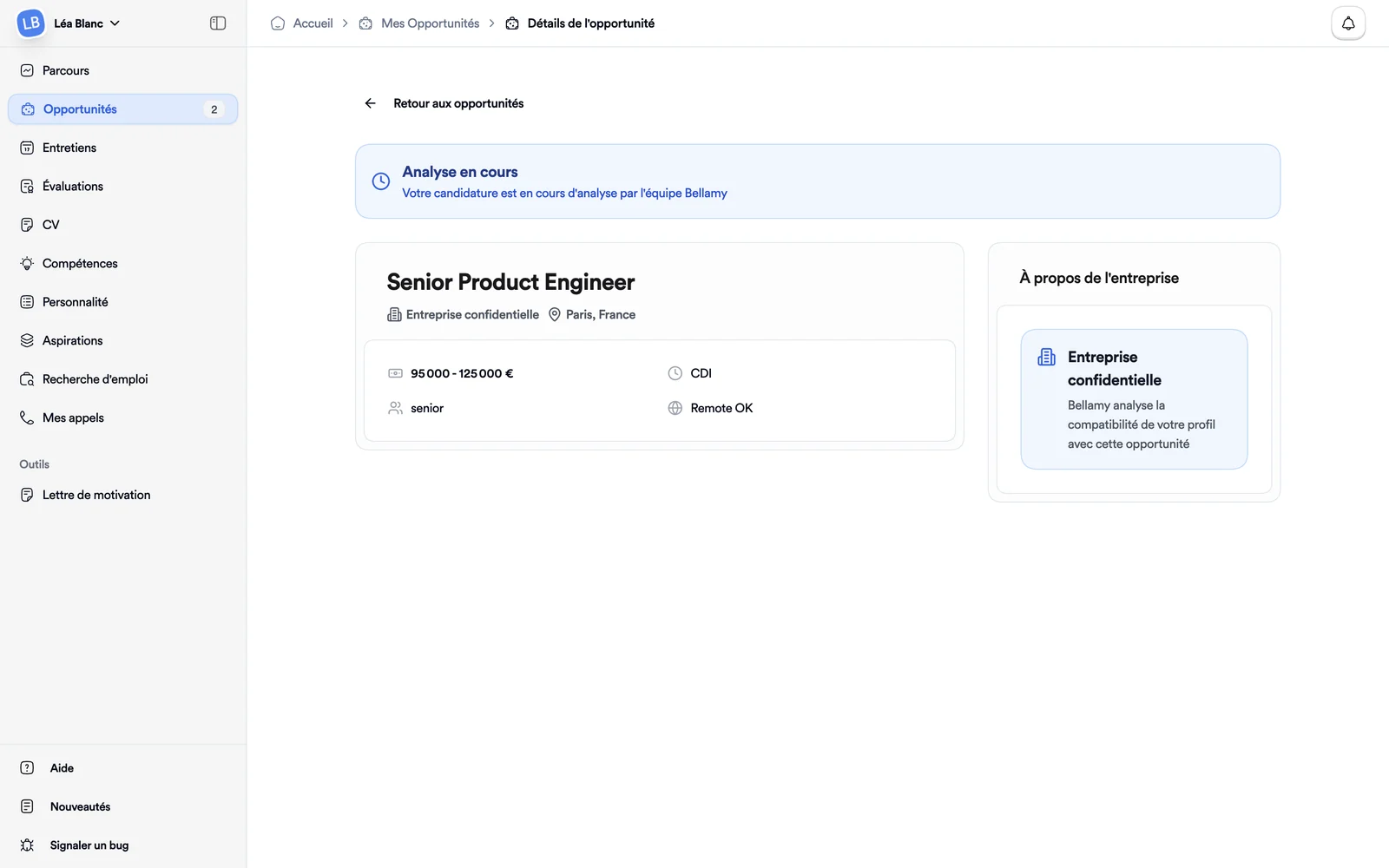
Accept or decline
When Bellamy is waiting for your answer, the page offers two buttons:
- I'm interested opens the confirmation;
- Not for me opens Decline This Opportunity. You can give a reason, optional: Salary too low, Location not suitable, Tech stack not desired, Contract type not suitable or Other reason, with a comment. Click Confirm to send your answer. This feedback helps Bellamy aim better.
While the status is Under review, Bellamy is still looking at your profile for this role: there's nothing to do, and you'll be told when an answer is needed.
Confirm your interest
Confirming takes four screens, with Next and Previous. Fields marked with an asterisk are required.
- Permission: you answer Yes or No to "Do you authorize Bellamy to present your profile to the client?" and "Have you already applied directly to this position?".
- Availability: Immediate availability, Few weeks or End of year, with your notice period in weeks.
- Compensation & Motivation: your Expected fixed salary (€), annual gross, and your Variable salary (€). The Total package appears below.
- Motivation: "Why are you a good fit for this position?" (required) and Additional notes.
Click Confirm at the end of the fourth screen. Depending on the job, the company may have replaced some of these questions with its own.
A You're shortlisted! message confirms it: the Bellamy team reviews your application and contacts you. Your profile is then visible to the company.
Where things stand
Each opportunity has a status:
- Under review: Bellamy is looking at your profile for this role.
- Awaiting your response: it's your turn to say whether the role interests you.
- Profile shortlisted: your profile was passed to the company.
- Accepted and Declined: the answer you gave.
- Not selected: your application wasn't retained for this opportunity.
- Not retained: after review, your profile wasn't selected. The Opportunity Not Retained page may give the reason shared and some feedback, with the View other opportunities and Improve my profile buttons.
Next
If the company wants to meet you, you get an invitation to book a slot: see My interviews.