
My interviews
Book your interview in the company's free slots, join it on the day, and prepare with a brief.
- The Interviews menu in your talent space.
When a company wants to meet you, it sends you an invitation. You pick your own slot from its availability. The My interviews page brings them together: until there's one, it reads "Your interview invitations will show up here."
Book
- Open Interviews. The invitation shows Book your interview.
- Click Pick a slot.
- On the booking page, choose a date and a time, enter your full name and email address, then click Confirm booking.
A "Booking confirmed" message appears, and the invitation with the joining details arrives by email. A slot must be at least one hour away: a time that's too close is refused, and so is a slot that has just been taken. Pick another one.
On the day
The interview moves to Interview scheduled, with the role, the date and the time.
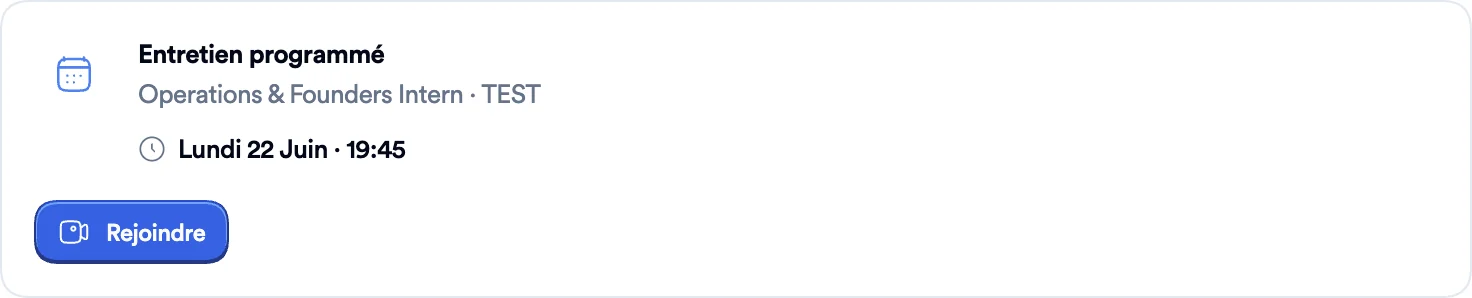
Up to three buttons, depending on what the booking allows:
- Join opens the video call in a new tab;
- Reschedule opens, in a new tab, the page to pick another slot;
- Cancel opens, in a new tab, the page to cancel the meeting.
Prepare the interview
Under a booked interview, Prepare your interview ("Everything you need to walk in confident.") unfolds into a brief: the company, your interviewer, the role, "Success looks like", what to expect, how to prepare, what to highlight and the questions to ask.
The brief is prepared automatically: the first time you open it, if it doesn't exist yet, "Preparing your brief…" shows while it's generated. If that fails, Retry starts the preparation again.